| Image Comments |
| mark eggebeen | 22-Mar-19 22:47 |
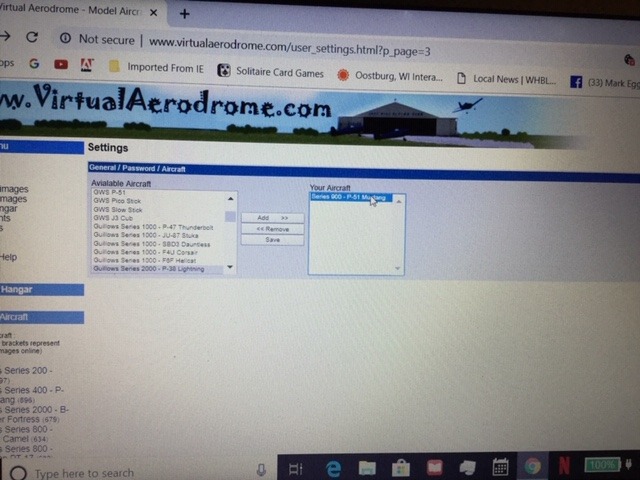
| whwere do i go from here? |
| David Duckett | 23-Mar-19 04:36 |
| Select aircraft from list on left, click "add", then click "save" |
| mark eggebeen | 23-Mar-19 17:13 |
| Look at the other screen. That is what I get |
| David Duckett | 23-Mar-19 17:51 |
| OK. Now when you post a photo the new addition should be at the bottom of your list. |
| mark eggebeen | 23-Mar-19 22:12 |
| I now have three planes on the list ..when I highlite any one of those and hit save ..I get that test screen!!! |
| mark eggebeen | 23-Mar-19 22:21 |
| when I go into the mustang directory and bring up the users aircraft, My name is listed, but none of my photos come on that site when I upload them |
| Don C | 24-Mar-19 10:34 |
| They should be in "Your Hangar". |
| mark eggebeen | 24-Mar-19 22:45 |
| You guys don't know what you are up against. I can get
a computer so confused that nothing helps ! |
| mark eggebeen | 24-Mar-19 23:06 |
| just to see what would happen.. I went into settings and removed two models from the list.. when I hit remove,they went away..and when I went back into settings they were all there again.. |